+1 609-919-9816


Most driving schools never chose spreadsheets and WhatsApp. They grew into them. One instructor became three, a few students became a few hundred, and the tools that worked on day one slowly turned into a full-time job of their own.
Picture a normal Monday. An instructor texts at 6:40 am to say she is sick. Four students need to be moved. A parent asks on WhatsApp whether last week’s payment went through. Someone edited the shared schedule over the weekend, and now there are two versions. By 9 am, you have not taught a lesson or grown the business. You have been a switchboard.
This guide is for owners who are ready to stop being the switchboard. It covers the signs you have outgrown your current tools, what “one connected system” means in practice, what to move first, how to choose software, and how to switch without disrupting a single lesson.
Why spreadsheets and WhatsApp worked, until they didn’t
Spreadsheets and messaging apps are free, familiar and flexible. For a solo instructor with a small list of students, they are often enough. You know every student by name, your calendar lives in your head, and a quick message settles most questions.
The trouble starts when the school grows past what one person can hold in their head. A second instructor means two calendars that must never clash. A second location means records split across two offices. A few dozen active students means dozens of balances, lesson counts and certificate deadlines to track by hand.
At that point, the hidden cost of “free” tools shows up:
Your time. Every question about a balance, a lesson time or a missing payment comes to you, because you are the only one who knows where everything is.
Mistakes. Copying the same information between a spreadsheet, a calendar and a chat invites typos, double bookings and missed payments.
No history. When a parent disputes a charge or an auditor asks for records, the answer is buried in a chat thread from four months ago.
No time off. If the business only runs when you are watching your phone, you do not have a business. You have a very demanding job.
10 signs your school has outgrown its current tools
If three or more of these sound familiar, it is time to look at a proper system.
- You have had a double booking or a no-instructor lesson in the last month.
- You answer the same questions every day: “What’s my balance?”, “When is my next lesson?”, “How many hours do I have left?”
- You check payments by scrolling through screenshots and bank alerts.
- Instructor availability lives in text messages and memory.
- You cannot say, within a minute, how many students are part-way through a course.
- Month-end reporting takes a day or more.
- You dread an audit, because records are spread across folders, phones and paper.
- New inquiries wait hours for a reply, and some never book.
- A new staff member takes weeks to learn “how we do things here”.
- You cannot take a full day off without the phone pulling you back in.
What “one connected system” means
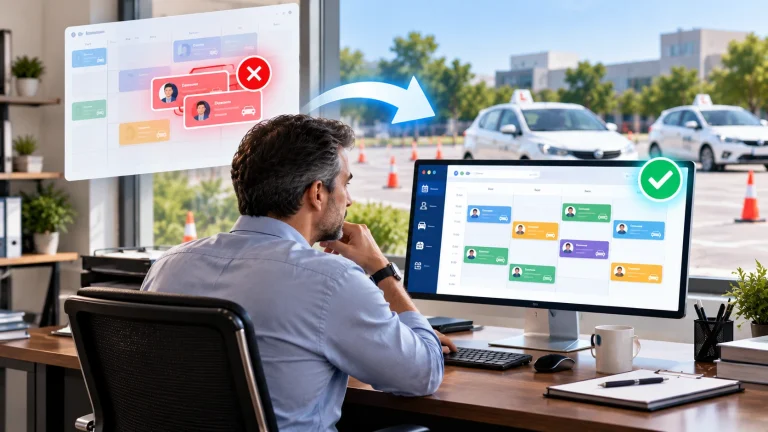
A driving school management system puts the office, the instructors and the students on the same set of information. Change something in one place, and everyone sees it. In DrivingSoftware, that is three connected parts:
The admin portal is the office view. Students, schedules, payments, instructors, vehicles, locations, reports and compliance records all live here.
The instructor app is the instructor’s phone. It shows today’s lessons, lets them clock in and out, log lesson progress and see changes the moment they happen.
The student app is the student’s (or parent’s) phone. They book and pay online, see progress, get reminders and sign contracts digitally.
Here is what changes in day-to-day work:
| Task | With spreadsheets and WhatsApp | With one connected system |
|---|---|---|
| Booking a lesson | Messages back and forth to find a time | The student picks an open slot that fits instructor availability |
| An instructor calls in sick | You phone each student and rebuild the day by hand | You see every affected lesson in one view and notify students in a few clicks |
| Taking payment | Bank transfers, cash and screenshots to match up | Online payment linked to the student’s package and balance |
| Tracking hours toward a certificate | Counting rows in a spreadsheet | Hours update automatically after each logged lesson |
| Instructor’s day | A message the night before | The instructor app shows the up-to-date schedule |
| Reminders | You send them, when you remember | Automatic text and email reminders before each lesson |
| Monthly reporting | A day of copying and adding up | Reports are ready whenever you open them |
| Audit preparation | A week of digging through folders | Records are already in one place and can be exported |
What to move first
Trying to change everything at once is how software projects fail. Move in this order, because each step makes the next one easier.
- Student records and course balances. Get every active student, their package, payments and hours into one place. This becomes your single source of truth.
- Scheduling and instructor availability. Once students live in one place, put the calendar and instructor hours there too. Double bookings stop here.
- Payments and packages. Link payments to students and packages, so balances update themselves.
- Student self-service. Turn on online booking, payments and reminders for students. This is where phone calls start to drop.
- Reporting and compliance records. With clean data flowing in, reports and audit records come almost for free.
How to choose driving school software
Most software demos look good. The questions below help you see past the demo to what daily life will look like.
| Question to ask | Why it matters | Red flag |
|---|---|---|
| Does it fit how my school works, or do I have to change? | Every school runs differently: packages, cancellation rules, pickup areas, teen and adult courses | “Most schools just adapt to our process” |
| Do I rent it or own it? | Monthly fees add up over the years and stop the day you stop paying | Prices that rise with every instructor or student |
| Can it handle my state’s record keeping? | Auditors expect student hours, instructor credentials and certificates on request | Compliance is “on the roadmap” |
| Does it support more than one location? | Growth should not mean a second system | Each location needs its own account and login |
| Who moves my existing data? | Re-typing hundreds of students is where projects stall | “You can import a CSV yourself” and nothing more |
| How are my staff trained? | Instructors who do not use the app bring the old problems back | Training is a video library and a help desk |
| Who owns my data? | You must be able to take your records with you | No clear answer |
The rent-or-own question deserves its own look. We cover it in detail in Renting vs Owning Your Driving School Software.
How to switch without disrupting lessons
A good switch is boring for students. They get a message, download an app and carry on. Behind the scenes, the work follows a clear path. DrivingSoftware projects run in seven stages over 8 to 12 weeks:
- We listen. Discovery sessions to understand how your school runs today.
- We map. Your workflows, rules and requirements are written down and agreed.
- We configure. You review the plan and ask for changes before anything is built.
- We build. The platform is shaped around your workflow.
- We migrate and train. Your data moves across, and your staff and instructors learn the system.
- We launch. You go live together with our team.
- We support. Ongoing improvements as your school grows.
Whichever provider you choose, a few habits make the switch smoother:
- Avoid your busiest season. Plan go-live for a quieter month, not the weeks when every teen wants a lesson.
- Clean your data first. Remove old students, fix phone numbers and agree on package names before migration.
- Train instructors before students. If instructors trust the app, students will follow.
- Tell students early. Send a short message with what is changing, when, and a one-page how-to.
- Keep one owner for the project. Someone on your team should make decisions quickly, so the project does not stall.
What changes after you switch
The first change most owners notice is quiet: fewer calls and messages asking simple questions, because students can see the answers themselves. After that, the bigger shifts arrive:
- You see the whole week at a glance, across every instructor and location.
- Cash flow becomes visible. Outstanding balances and upcoming payments are a report, not a guess.
- Records are audit-ready by default, because they are created as lessons happen.
- You can delegate. Office staff can run the day without calling you, because the information no longer lives in your head.
You can read how schools with one, two and three locations made the move in our case studies.
Your 30-day readiness plan
You do not need to choose software this week. You do need a clear picture of where you are. Use this plan to get there.
Week 1: List your tools. Write down every spreadsheet, app, chat group and paper form your school uses, and who uses each one.
Week 2: Map your workflows. Sketch how a student goes from first inquiry to passed road test, and where things go wrong.
Week 3: Clean your data. Archive old students and tidy the records you will move.
Week 4: See two or three demos. Bring your workflow map and the questions from this guide.
Frequently asked questions
How much does driving school management software cost?
It depends on the model. Subscription tools charge a monthly fee, often per instructor or per student, for as long as you use them. DrivingSoftware is a one-time investment in a platform you own, with custom builds starting from $12,000 depending on features and integrations.
How long does it take to switch?
A typical DrivingSoftware implementation takes 8 to 12 weeks, from the first discovery session to launch and support.
Can students still message us?
Yes. The difference is that bookings, payments and records no longer depend on a chat thread. Automatic text and email reminders cover most of the routine messages for you.
Will my instructors actually use it?
The instructor app is built for a phone and shows only what an instructor needs: today’s lessons, student progress and changes. Training is part of the rollout, not an afterthought.
What happens to the records I already have?
They move across during migration, so your history comes with you and nothing has to be re-typed by hand.
Ready to stop being the switchboard?
DrivingSoftware brings your students, instructors, schedules, payments and records into one platform built around how your school already works. Book a demo and see your own school running in one system.